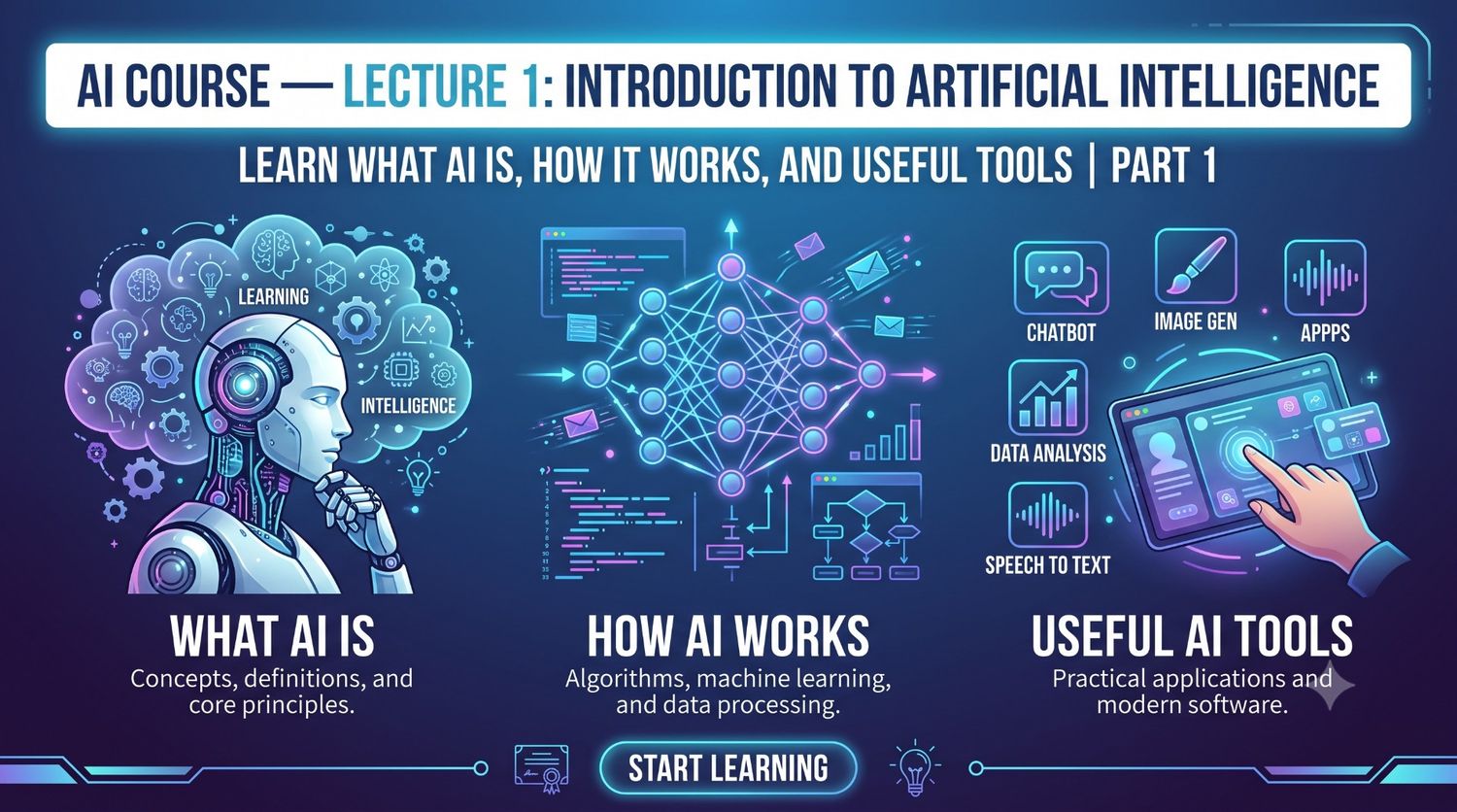
When you open Google Maps and see the fastest route, or your keyboard fixes a wrong spelling on its own, AI is doing your work. Still, many people think of AI as something distant and difficult. This post explains the meaning of AI, how it works, and your first steps, all from a very basic level.
What AI means and a simple definition
The full form of AI is Artificial Intelligence. It means making a machine do certain tasks the way a human would: understanding language, answering a question, recognizing a picture, or choosing the next step.
In tech language, the definition is this: AI is a system that looks at a large amount of information, finds patterns in it, and, based on those patterns, makes predictions and gives an output.
In simple language: when AI is given a huge amount of data, it picks up the things that appear again and again. Then, when you ask a question, it builds an answer based on the things it has picked up.
One thing to keep in mind is that AI does not have human-like understanding or experience. It matches patterns very fast and at a very large scale, and that is both its strength and its weakness. The weakness part comes separately below.
What finding patterns means
The word “pattern” sounds heavy, but it is a very everyday thing. A pattern is something that shows up the same way again and again. With language, AI pays attention to these things:
- which word comes after which word
- how humans form sentences
- the normal order in which things happen
- the steps of a task
Here are two small examples. First: if the sequence is girl, boy, girl, boy, girl, who comes next? Boy. You caught the pattern and found the answer. Second: when you read “Once upon a ___”, the word “time” comes to your mind right away, because you have heard that story line many times since childhood.
AI thinks in the same way, except it has far more text to look at than any human. That is why it is often called a “next word predictor,” meaning a system that estimates the next word.
How AI builds an answer: next word, then next word
When you look at chatbots like ChatGPT, Gemini or Claude, it seems as if they think through the whole answer first and then write it. In reality, they pick small pieces (words or parts of words) one after another. Each piece is chosen by looking at all the pieces before it.
Suppose you write: “The capital of India”. The most likely word after this line is “Delhi,” because this pair would have appeared many times during training. AI picks “Delhi,” then looks at what should come after that, and in this way the whole sentence is built.
This is why AI’s answers often feel very natural. It is also why it sometimes writes something wrong with full confidence, because its job is not to find the truth, it is to pick the next word that looks most right.
In my view, this is the most important thing for a beginner to understand. A person who knows this does not trust AI’s answers blindly, and that is the person who can use AI properly.
Training and answering: two different things
AI’s work can be understood in two parts.
The first part is training. Here AI is shown a very large amount of data, such as books, website text and samples of conversation. During this, it learns patterns. This work is already done on a big computer setup beforehand, and it is finished by the time you open a chatbot.
The second part is answering. When you ask something, AI builds an answer based on the patterns it has learned. Your question does not get added to the training; it is only used in this conversation. Depending on a chatbot’s policy, your conversations may sometimes be used for later improvements, so this differs from tool to tool in its settings.
One more thing people don’t know: many chatbots are also improved after training using feedback from humans, so that their answers feel more helpful and clear. That is why these tools behave like they are answering a question, not just completing text.
You are already using AI
AI is not some new, separate app that you only find in chatbots. In daily life it is already hidden in many places.
When Google Maps compares the times of different routes and shows the fastest one, that is a system making estimates. When the keyboard’s auto-correct turns “namste” into “namaste,” that also runs on patterns. YouTube and Instagram show you videos that match your taste, which is why your feed and your parents’ feed look different. Netflix suggests the next film in the same way, based on what you have watched.
Spam mail going to a separate folder in Gmail is another example. Features like face unlock or fingerprint on a mobile phone also run on pattern recognition. So instead of being afraid of AI or staying away from it, it is more useful to understand that you are already running it every day.
AI’s limitations and mistakes
If a beginner is shown only the good side of AI, they build wrong expectations, so the limitations should be stated clearly too.
AI can give a wrong answer, and it can give it with full confidence. This is called “hallucination.” It can write about a book, a name, a date or a link as if it were real, when it does not exist at all. So on money, health, law or any important matter, always check AI’s answer against a trustworthy source.
Second, AI does not always have fresh information. Some tools are connected to web search and some are not. Which tool can give the latest news has to be checked on that tool’s official page.
Third, AI can also misunderstand the meaning of your question. If the question is incomplete or vague, the answer is vague too. The clearer the question, the more useful the answer.
In my view, it is right to treat AI like a fast but new intern: it finishes work quickly, but checking its work is your responsibility.
Will AI take our jobs?
This is the most commonly asked fear. The direct answer is that AI is not a robot that will land on Earth and take all the jobs. But it is also true that the way of working is changing.
One line helps here: AI will not take jobs, but the person who learns AI can take the place of the person who doesn’t. Just as people who learned to use computers benefited when computers arrived, the same will happen with AI.
This applies to every profession. A doctor can understand the summary of a report faster, a farmer can take help for weather and crop information, a student can understand a difficult topic in simple terms, and a woman running a household can take help with recipes, accounts or children’s studies. Keep in mind that in matters like health or crops, the final decision should be left to a knowledgeable human, not to AI.
What you need before starting
To learn AI you do not need coding or a tech background. You need a smartphone or computer, internet, and an email account. Tools like ChatGPT, Gemini and Claude have free plans, but their limits and features keep changing, so check the current details on each tool’s official page.
Keep your first question very easy. Suppose you want to get a leave application written for your child. You can write it like this:
My child has a fever. Write a short Hindi application to his school principal asking for 2 days of leave.
After the answer comes, change the name and class yourself. Then ask a follow-up, like “make it shorter.” This way you will see that AI works through conversation, not in one go.
Another good habit: read whatever answer you get once yourself. If even one fact AI wrote is wrong, your name is the one on it.
Privacy and safety
Before writing anything in an AI tool, remember one thing: it is not a private diary. Do not put your Aadhaar number, bank details, OTP, password or anyone else’s personal information into a chatbot.
Do not enter confidential office or school information either without permission. Every tool has its own privacy policy, and how much data is kept and for how long can differ. Whichever tool you use, look at its privacy setting once.
If you are making content for someone else with AI, such as a school project or an office mail, read it and change it a little in your own words before putting your name on it. Copying someone else’s content and passing it off, even through AI, is still wrong.
Who this is for and who it is not for
This post is for students who want help with studies and are understanding AI for the first time, because no technical word has come here without being explained. It is also for working people who hear about AI at the office but don’t know how to begin. And it is for people who run a home or farm and are hesitant about tech, because the post starts directly from their daily work.
This post is not for people who want to build AI or learn its inner code. They need separate, deeper courses in machine learning and programming. It is also not for people looking for the latest prices or plan comparisons of a tool, because that information keeps changing and has not been given here.
Disclaimer
This post is only for a beginner-level understanding. In matters of health, money or law, do not rely on AI’s answer alone, and do take advice from a knowledgeable person.
How to Make a Full AI Song Using ChatGPT and Suno AI
How to Turn Any Text Into Realistic Voice Using Free AI Tools