
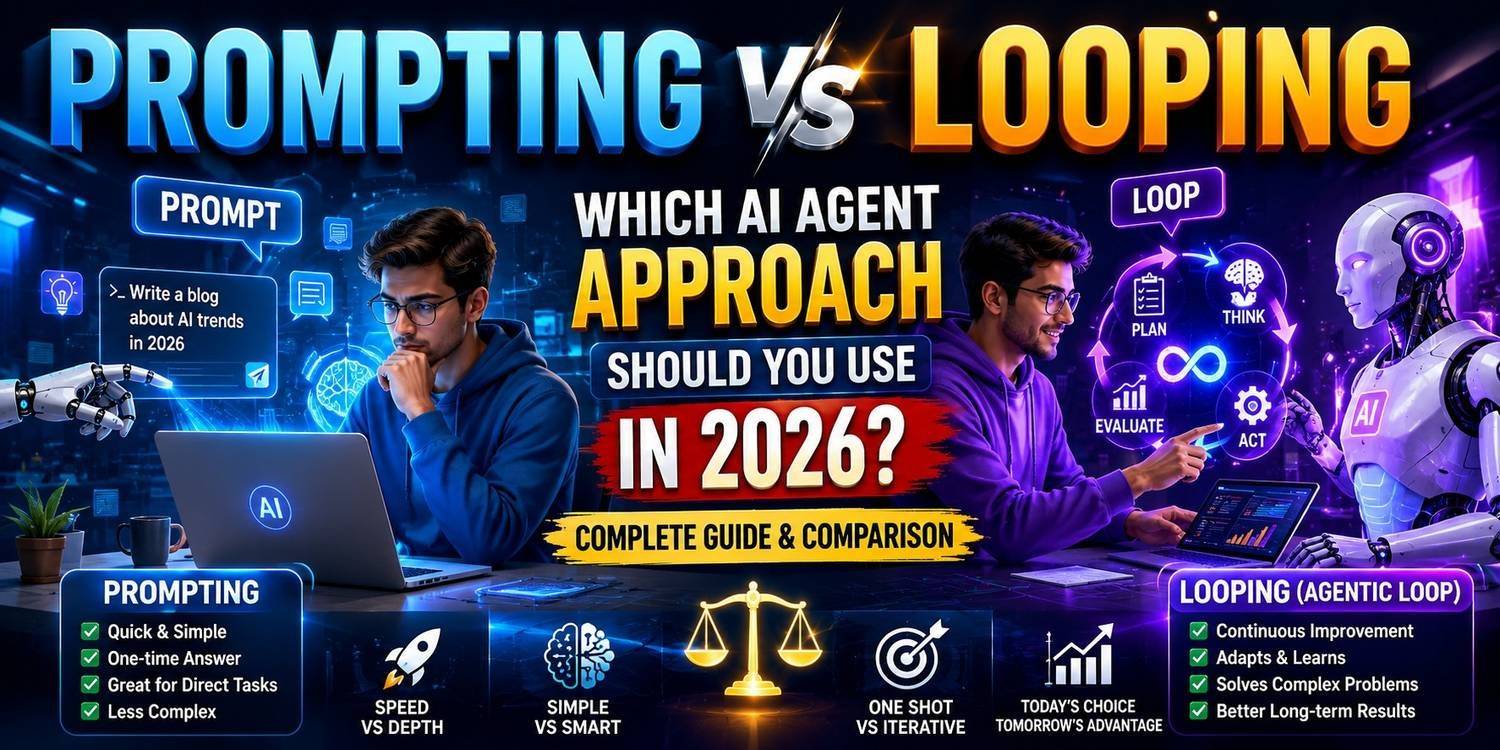
When you work with AI, the first decision is whether to let it answer once, or let it keep running until the job is done. The first approach is called prompting, the second is called looping (an agentic loop). Pick the wrong one and you either spend more than you need to, or the work stays half done.
In this post we will look at both on similar tasks, understand a third path in between, and by the end you will have one simple rule for when to use what.
What is prompting
In prompting, you give the AI one instruction and it answers once. Then it stops. It does not re-check its own answer, and it does not go off to look anything else up.
Think of it like asking a knowledgeable friend a question, and they tell you whatever they already know. They did not google it for you, and they did not confirm it with anyone.
"Summarise this paragraph in 3 lines" is a prompt. The AI gives the summary and the job is over. If there is a mistake in the summary, you catch it yourself and ask again. Technically this is one API call, which means one cost and one wait.
What is looping
In looping, you give the AI only a goal. To reach that goal it runs several rounds on its own. In each round it thinks about what to do next, uses a tool (a web search, running code, reading a file or looking at a database), looks at the result, and decides whether the job is done. If it is not done, the next round starts.
Anthropic's engineering page describes agents in roughly this way: systems where the AI itself decides how to do the task and which tool to use when.
Take a coding example. You say, "fix this bug." The loop first reads the code, then writes a fix, then runs the tests. If a test fails, it reads the error, changes the fix and runs the tests again. This continues until the tests pass or someone stops the loop. You stated the goal once and nobody interrupted in between.
Both at a glance: who wins
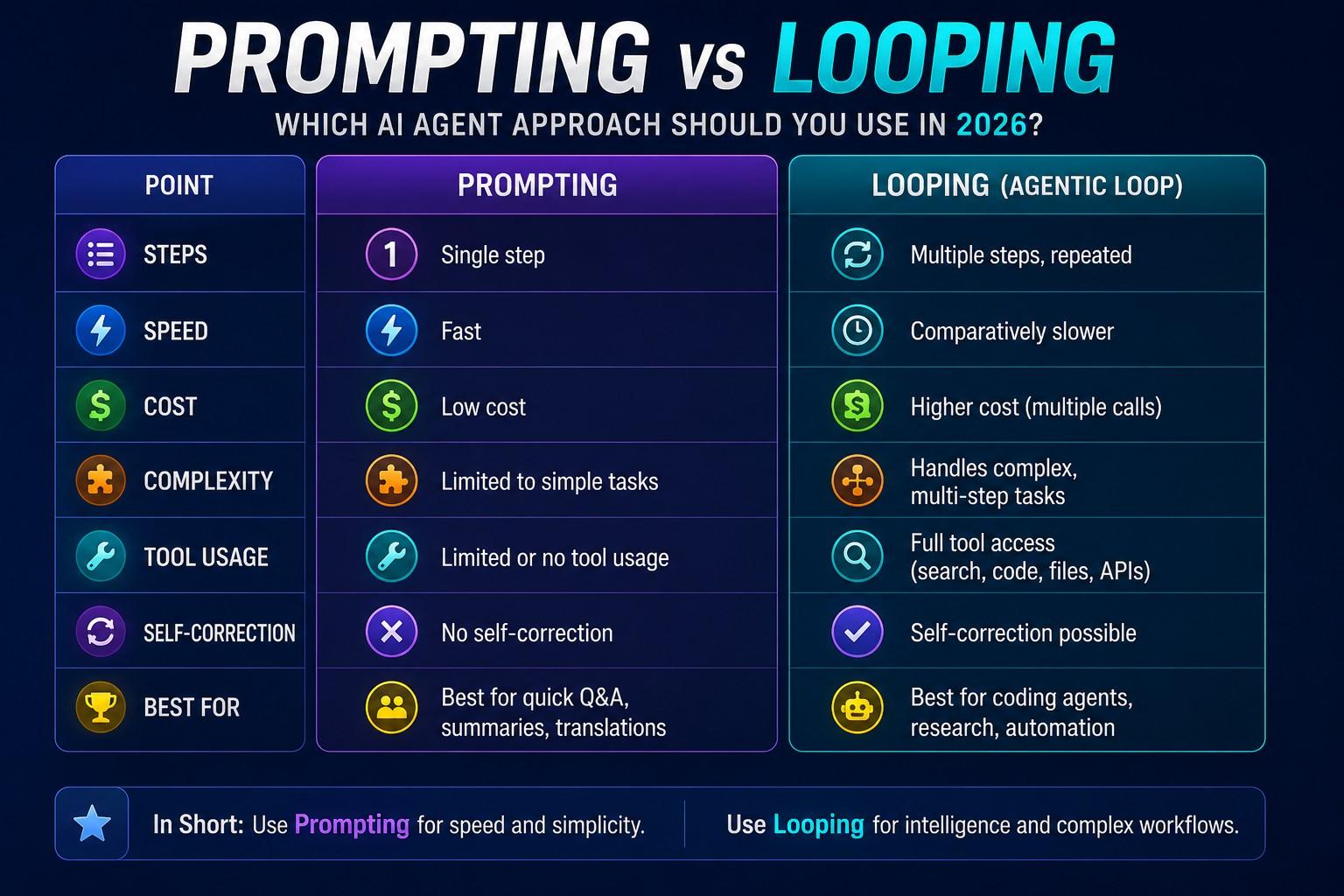
Instead of a table, here is a straight verdict on each point:
• Speed: Prompting wins. One call, instant answer. Looping takes several rounds, so the wait grows.
• Cost: Prompting wins. One call is billed once. In looping, every round is a new call.
• Long tasks with many parts: Looping wins. Prompting handles only one instruction at a time.
• Tools (search, code, files): Looping wins. In prompting you get these only if they were added to the system separately.
• Catching its own mistakes: Looping is ahead, but with a condition. Only if the way of checking is clear.
• Understanding and debugging: Prompting wins. It is easy to find the mistake by looking at one answer, but reading the log of a 15-round loop is hard.
Look at cost through an imaginary example. Say one prompt takes 1 call, and the same job takes a loop 8 rounds. Then at least 8 calls will be needed, and each round carries the earlier context along with it, so later rounds cost a bit more. This is only to help you understand; the real cost depends on the model and the task.
When prompting is the right choice
The biggest advantage of prompting is that you can judge the result at a glance. In translation, summaries, email drafts, or a classification like "is this review positive or negative", the answer is short and you can check it yourself.
Using a loop there is pointless. Running the same job over 8 rounds does not give a better answer, and you do not have less to check. The bill just goes up.
The real limit of prompting is that it cannot reach the outside world. It only knows what it learned in training. Today's rate, the content of your file, or whether some code runs or not, it cannot see any of this unless tools have been added to the system.
When looping is the right choice
A loop helps when the job cannot be finished in a single answer. A coding agent is the clearest example: write, run, see the error, fix. This cycle can run without you in between.
Research is the same kind of work. If one place gives an answer and another place gives a different one, someone has to look again. In prompting that responsibility is yours. In a loop the system can do it itself.
One thing to keep in mind, though. A loop's "checking by itself" works only when it has been told when the job counts as finished. In coding, a passing test is a clear sign. With a vague condition like "a good report", a loop can stop in the wrong place.
What can go wrong in a loop
Loop mistakes are expensive because they grow round after round.
The most common problem is that the loop was never given a stopping condition, so it keeps trying the same thing again and again. Every round costs money, and sometimes the result does not improve at all.
The second problem is direction. A small wrong assumption in the first round becomes a big one in the later rounds, and in the end you get a long but useless result.
And the third, which people often forget: you cannot tell where things went wrong. With a prompt you read one answer and spot the mistake. In a 15-step loop, finding which step was wrong is a separate piece of work.
The fixes are simple. Set a maximum number of rounds, say 10. Write clearly when the job counts as done. And where a mistake would cost a lot, such as deleting a file or sending an email, tell the loop to ask you before it goes ahead.
The middle path: workflow
Between prompting and looping there is a third approach called a workflow. Anthropic's page states this difference clearly. In a workflow, the AI and the tools follow a path laid out beforehand in code. You decide the path, and the AI only does the work of each step. In an agent, the AI decides for itself what the next step will be.
Here is an example. Say you always do the same job: make a summary of a report, then translate it into Hindi, then write a tweet. All three steps are known in advance, so you can tie them into one workflow. Each step is a prompt, but the order is decided by you. There is no risk of the loop wandering off, and the cost can be estimated beforehand.
Choose a loop when the path is not known in advance. For example, you know nothing about the cause of a bug, and you do not know how many steps it will take either.
How to mix them
In real work, prompts, workflows and loops often all run together. Anthropic's advice is to start with the simplest solution and add complexity only when it is really needed.
Say you want to pull a few numbers out of a 40-page report. Summarising the report is a prompt's job. But matching those numbers against other sources is a loop's job, because you do not know in advance how many places will need to be checked.
In my view, one easy rule is this: where you can judge the answer at a glance, use a prompt. Where you have to go and look something up to judge it, use a loop. And where the steps are known in advance, use a workflow.
Fears beginners have
The first fear is that a loop will drain my account. The fear is not wrong, but the cure is simple: set a maximum number of rounds and test on a small job first.
The second fear is that "agent" means the AI will do anything on my computer. That is not how it works. A loop can only use the tools that you, or whoever built the system, have given it, and you can decide which tool must ask your permission and when.
There is confusion about names too. Agent, agentic loop, autonomous workflow: these are used with slightly different meanings in different places. Instead of getting stuck on the name, just look at whether the system answers once, or works over several rounds.
Who this is for and who it is not for
If you use AI for small everyday jobs like translation, email drafts or summaries, this post will tell you that you do not need a loop and prompting is enough. That saves both money and time.
If you are building a tool or app where the AI has to take several steps on its own, such as a research agent or a coding assistant, this post will show you the limits of a loop and ways to keep it in check.
People who are completely new to AI and do not yet know what a prompt is should first spend a few weeks writing plain prompts in something like ChatGPT or Claude. The idea of a loop is easier to follow after that.
Sources
• Anthropic Engineering: Building effective agents
Disclaimer
AI tools and their features change quickly. For cost or limits, check the official page of the tool you are using.